
Built for the trades. Starting with electrical contractors.
One system to run a trade business, from first call to final payment.
Get hours back, and know how your business is really doing. Supplier invoices read for you, estimates priced from what you paid, and profit on every job while it's still running, for the office and the crew.
No contract. Cancel any time.

What it means for your business
-
Time back
Get hours back
Cut the tedious work done by hand. Supplier invoices read and put on their jobs, estimates priced for you, hours from the crew's phones, billing from the signed proposal. The work of holding several programs together is done for you.
How it saves time -
Business intelligence
Know your business
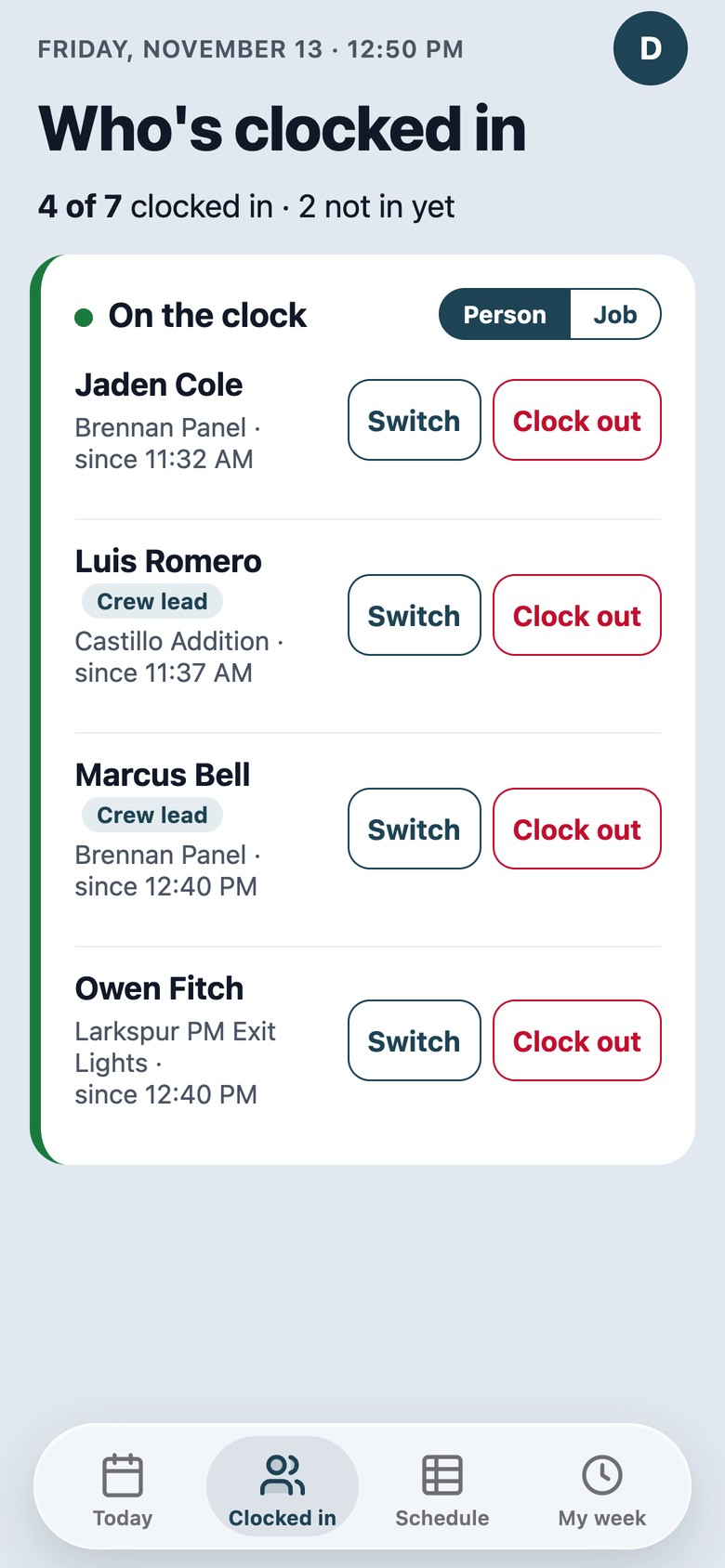
Make decisions with the numbers in front of you. Estimated profit on every job while it's running, your finished jobs ranked by profit, and what's in the pipeline, ready to bill and owed. See who's clocked in and on which job right now, with hours and photos coming in from the crew's phones.
What you'll see -
Lower cost
One system, one price
It does the work of an estimating and proposal program, a time clock, a schedule and job costing spreadsheets, in one subscription instead of several. Every feature is available in every pack. No setup fee, no contract.
What it replaces
Built around the job
Trade Mechanics does the work of the business in one system. A job starts as a call, an email or a request from your website, gets an estimate and a signed proposal, is scheduled, bought for and worked, then billed and paid. The costs land on it along the way, so you know your profit while the job is still running.
-
New work
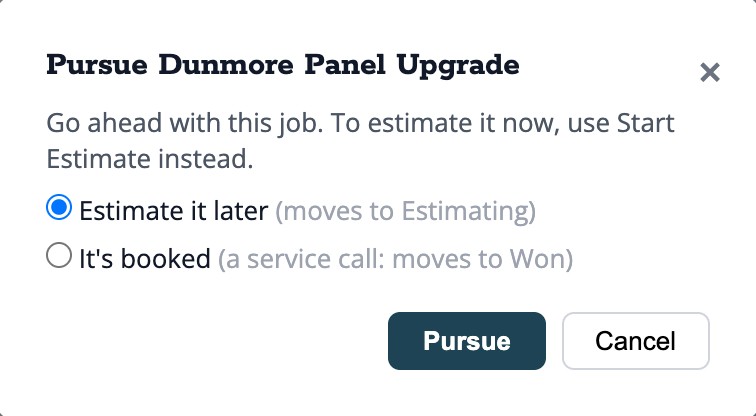
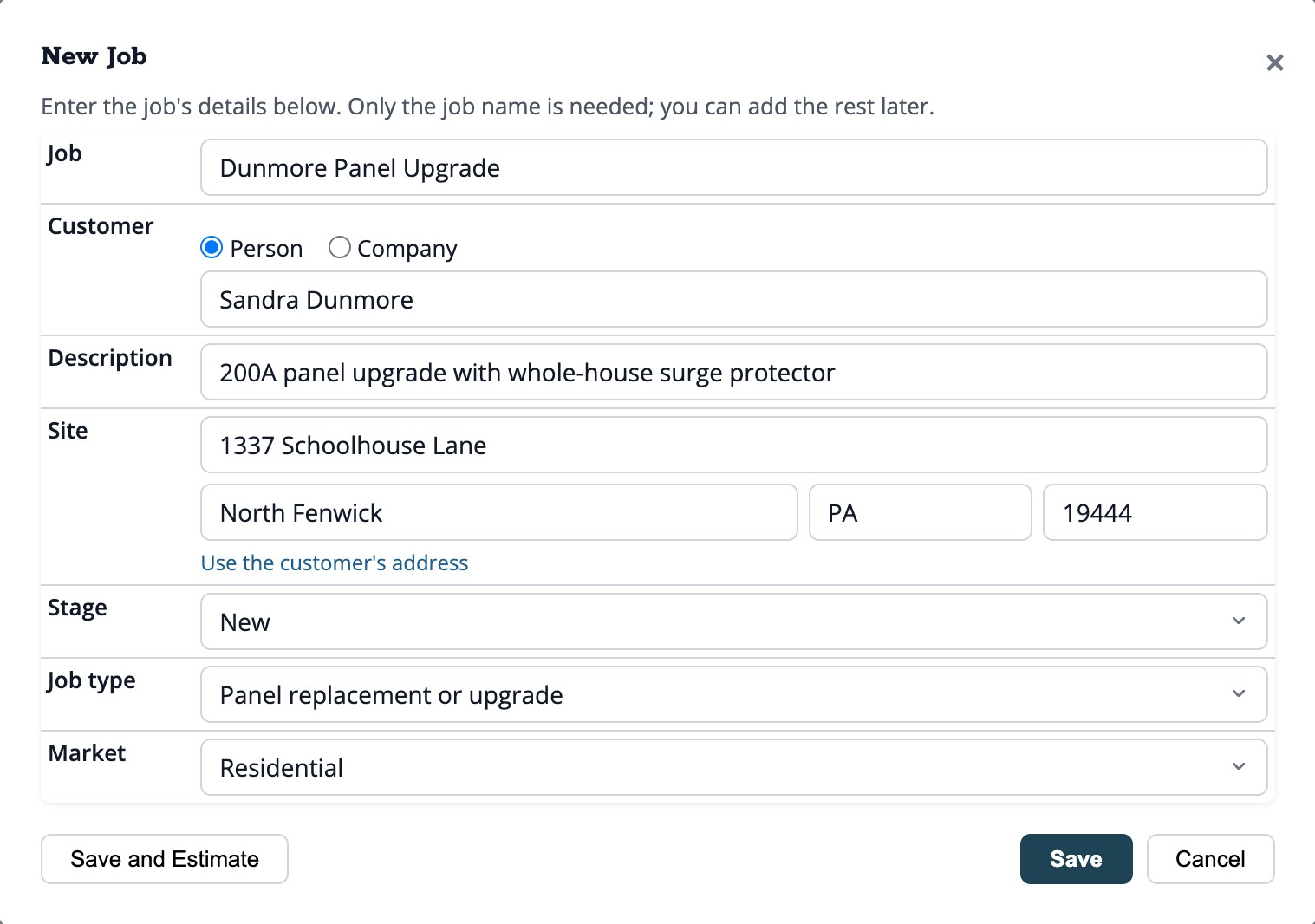
Every job starts as New. Pursue it or pass, and say why. The bell lists the new jobs waiting for a decision.
-
Win the work
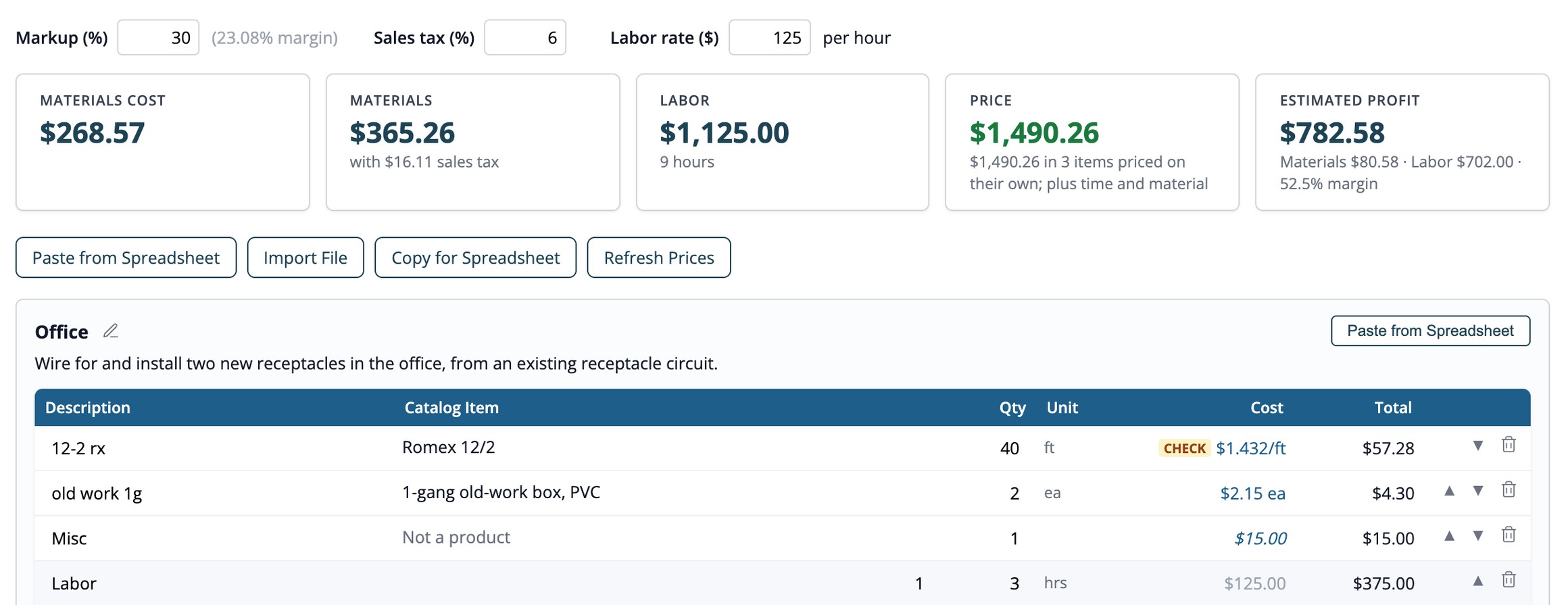
Build estimates by scope of work, each part of the job with everything it needs: materials, labor and more. Paste a material sheet from a spreadsheet: each row is matched to a product and priced from your own latest purchases. The trade's shorthand is understood: "LN" is a locknut, in every size.
Send a proposal with your logo, terms and payment schedule, record the customer's signature, and add change orders to the signed total.
-
Plan the work
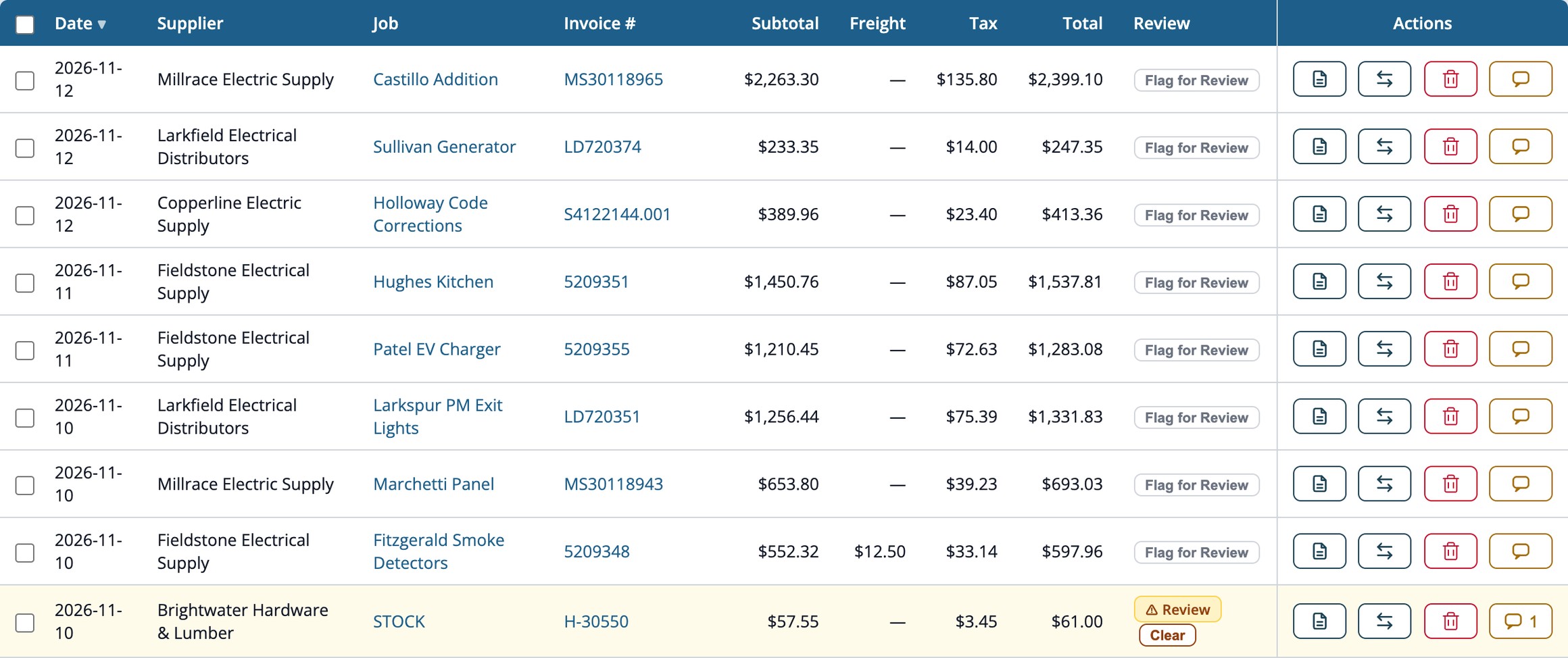
Supplier invoices emailed by your supply houses are read for you, put on their jobs, and checked: a price above usual, a total that doesn't add up, a missing job. Only the ones with a problem need a look.
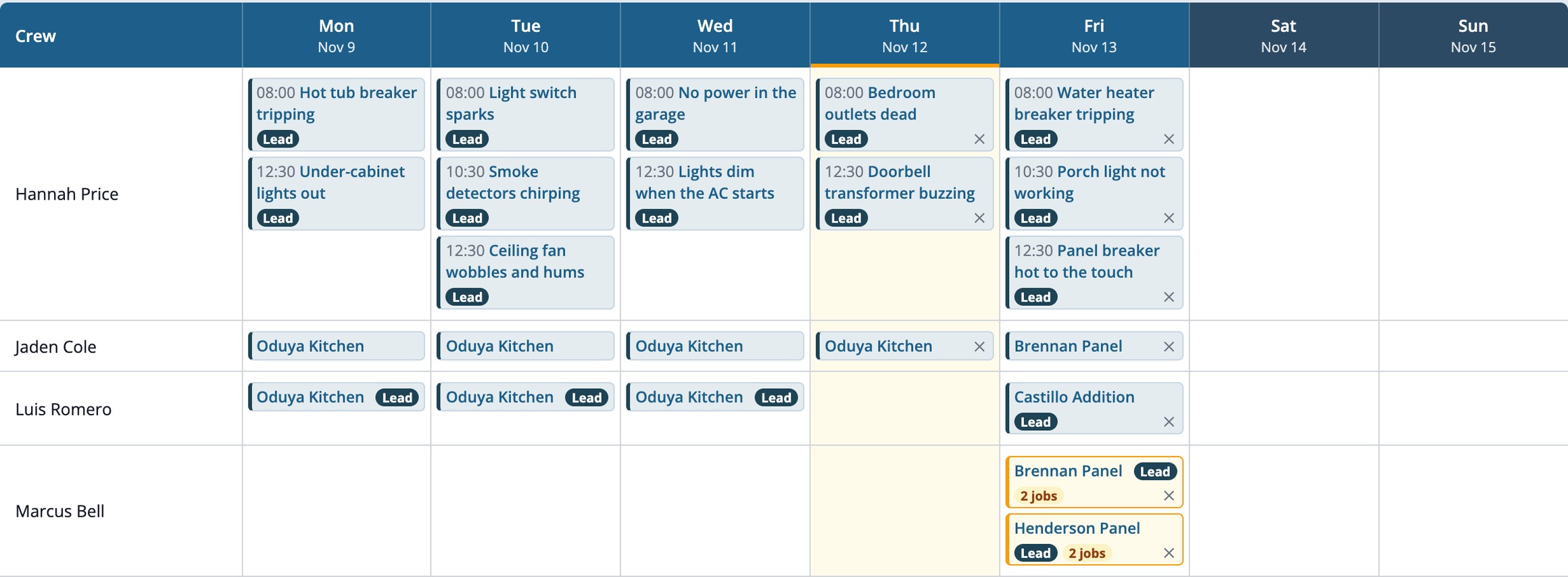
See what every product costs at each supplier. Put the crew on the Schedule: who's on which job each day, a lead on each job, and service calls with their start times.
-
Do the work
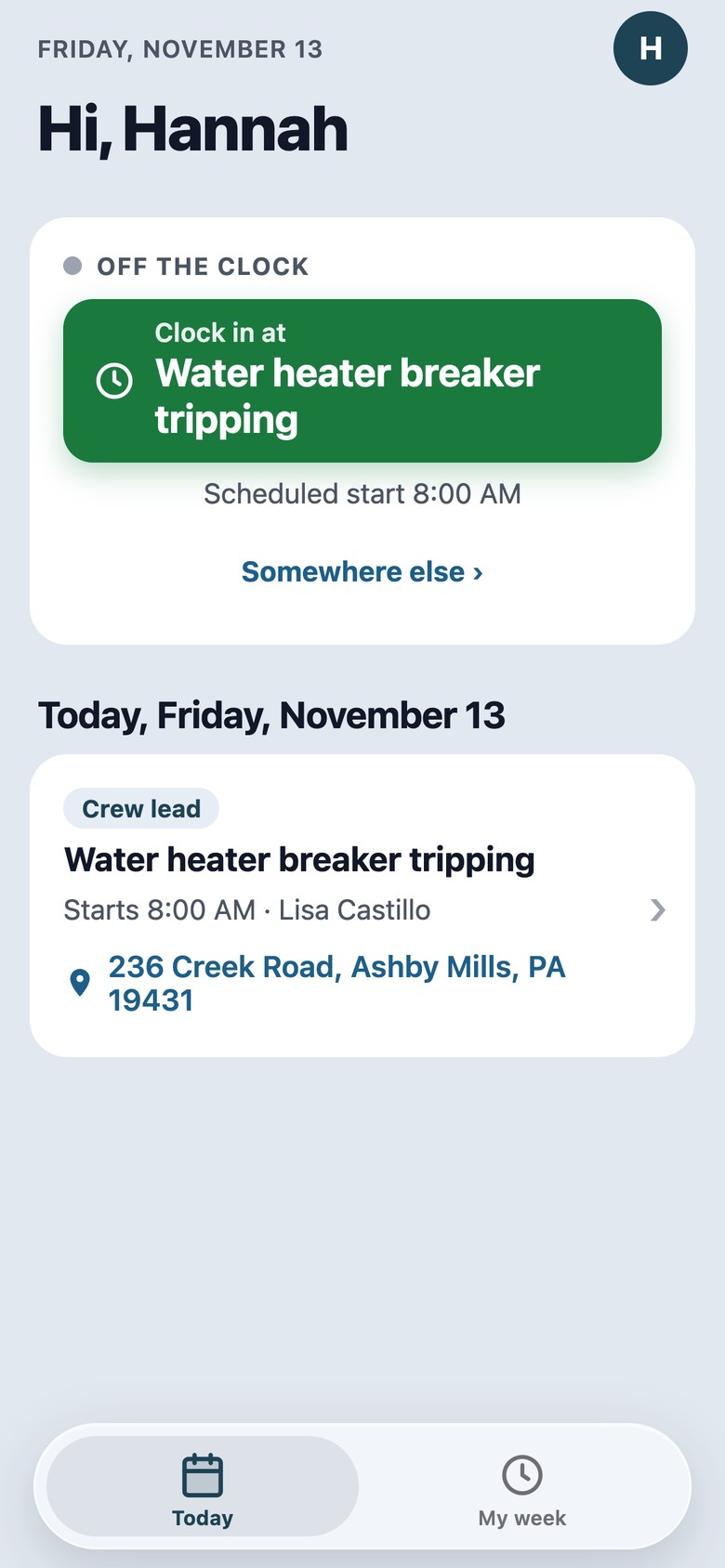
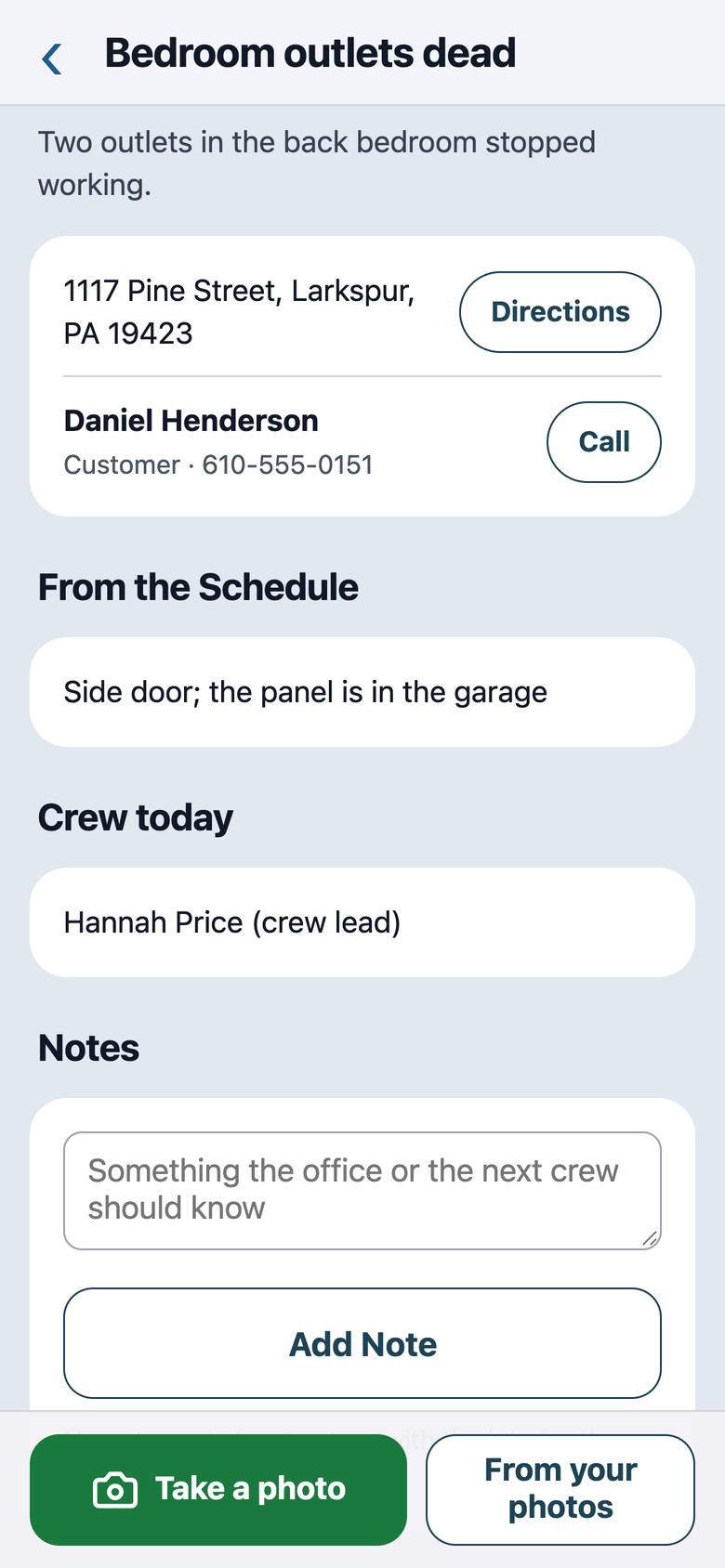
Trade Mechanics Field is the crew's phone app. Clock in and out on the job, see today's schedule, open the job card with the address and notes, and add photos from the site. It signs in with a texted code, no account needed.
The hours land on the job, and the office approves each week's timesheets.
-
Get paid
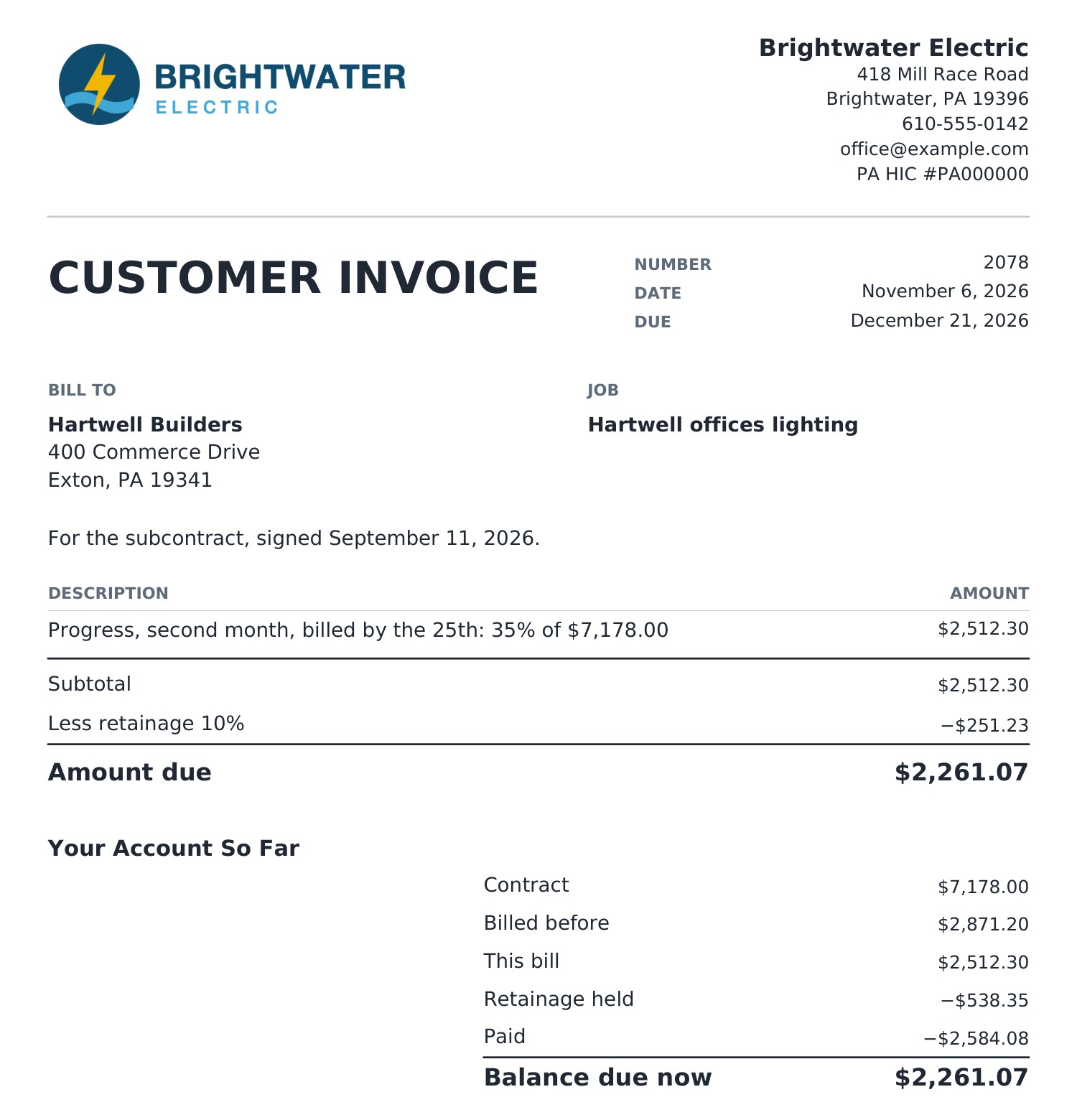
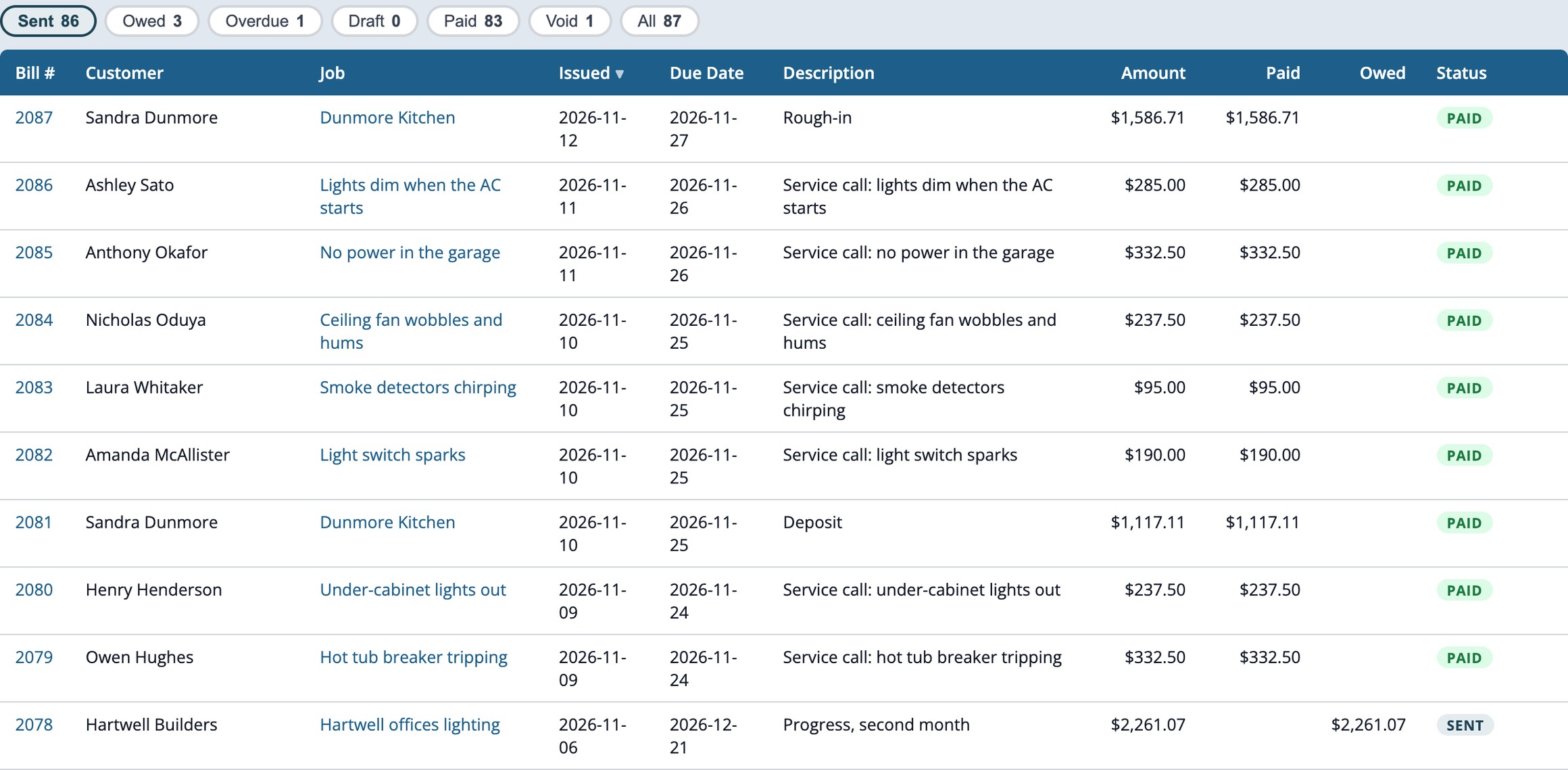
Bill from the proposal's payment schedule (deposits, progress payments, the final bill) or by hand, with retainage. Each Customer Invoice is a PDF, payments are recorded, and what's owed and overdue shows on Home and on each job.
-
Manage the business
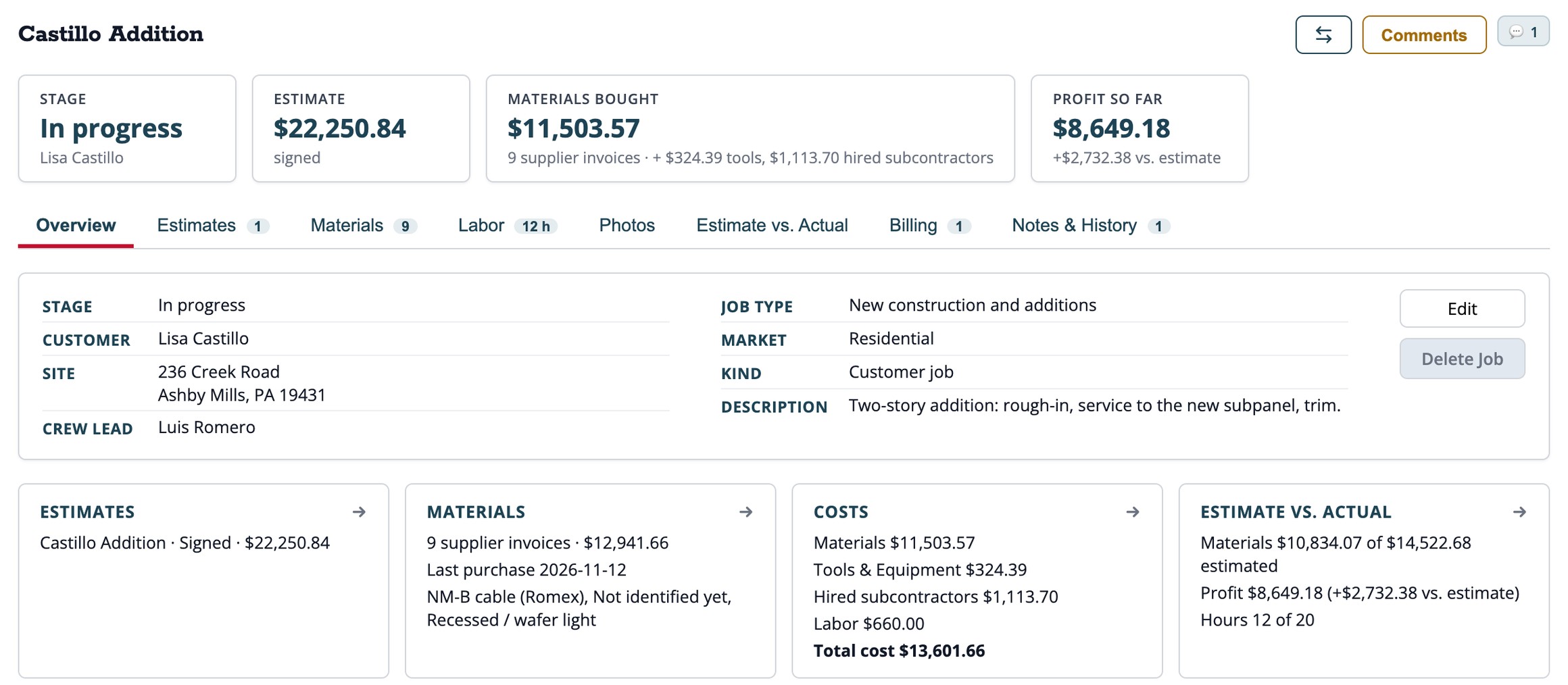
Job costs by type: materials, tools and equipment, hired subcontractors and labor. Estimate against actual, and profit on every job, while it's running.
Home gives each person a snapshot of the business, and the Alerts bell shows what needs attention now.


Built for the people who make things work
We understand the mechanics of the trades.
We understand the people who make things work. And we understand the mechanics of running a successful trade business.
Trade Mechanics brings the two together in one system, helping contractors manage their work, their people, and their business.
- Built with people in the tradesIn use at an electrical contractor since July 2026. In its first four months, 241 supplier invoices read and put on 96 jobs.
- Your own private systemYour own site and database. Your customers, jobs and prices are never shared with another company.
- Works alongside what you useKeep your accountant, your books and your payroll. Trade Mechanics does the work of the job.
See it on a demo
Packs start at $149 a month, with every feature in every pack. Tax added at checkout. No setup fee.